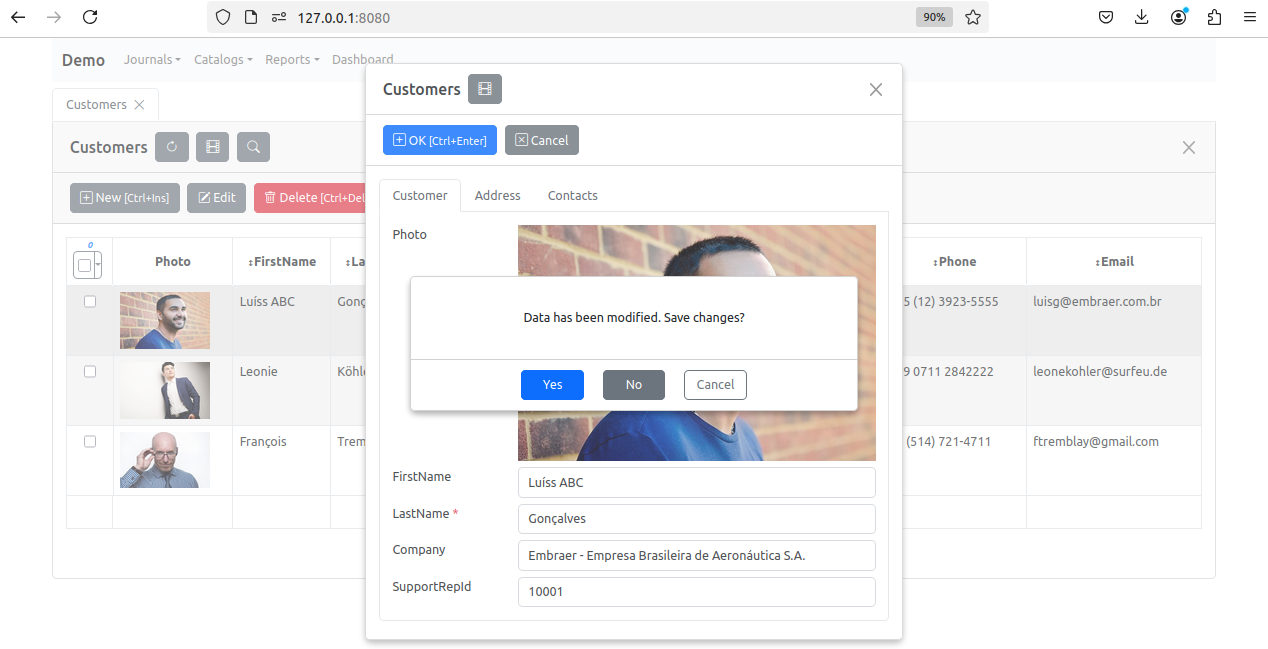
yes_no_cancel
- AbstractItem.yes_no_cancel(mess, yes_callback, no_callback, cancel_callback)
- Domain:
client
- Language:
javascript
- Class:
Description
Use yes_no_cancel to create a modal form with Yes No, Cancel buttons.
Parameters
Parameter |
Type |
Description |
|---|---|---|
|
|
Specifies the text or html content that will appear in the body of the form. |
|
|
Function are specified they will be executed when user clicks on the Yes button. |
|
|
Function are specified they will be executed when user clicks on the No button. |
|
|
Function are specified they will be executed when user clicks on the Cancel button. |
Example
The following code is executed when user clicks on the close button in the upper right corner of an item edit form.
function on_edit_form_close_query(item) {
    var result = true;
    if (item.is_changing()) {
        if (item.is_modified()) {
            item.yes_no_cancel('Data has been modified. Save changes?',
                function() {
                    item.apply_record();
                },
                function() {
                    item.cancel_edit();
                }
            );
            result = false;
        }
        else {
            item.cancel();
        }
    }
    return result;
}
The result of the code above will be: