on_field_get_summary
- on_field_get_summary(field, value)
domain: client
language: javascript
class Item class
Description
Write an on_field_get_summary event handler to specify the summary that will be
inserted in the summary cell for the field.
The field parameter is the field whose
on_field_get_summary
is processed. To get the item that owns the field, use the
owner attribute of the field.
Example Client Module:
function on_field_get_summary(field, value) {
    let item = field.owner;
    if (field.field_name === 'total') {
        return '€' + value;
    }
    // to use with Virtual Table
    if (field.field_name === 'total') {
        let sum = 0;
        item.each(function(row) {
            sum += parseFloat(row.total.value) || 0;
        });
        return '$' + sum.toFixed(2);
    }
}
Example Server Module:
def get_total(item):
    result = 0;
    copy = task.invoice_table.copy()
    item.set_where(deleted=0)

    copy.open(fields=['quantity'],
        funcs={'quantity': 'sum'})

    if copy.record_count():
        result = copy.quantity.value
    return result;
Client Module for the above:
let cachedTotal = null;

function refreshTotal() {
    task.tracks.server('get_total', [], function(total, err) {
        if (!err) {
            cachedTotal = total;
            let summaryField = task.tracks.fields.tracks_sold;
            if (summaryField) {
                if (summaryField.set_value) {
                    summaryField.set_value(total);
                } else {
                    summaryField.value = total;
                    if (summaryField.refresh) summaryField.refresh();
                }
            }
        }
    });
}

function on_field_get_summary(field, value) {
    let item = field.owner;

    if (field.field_name === 'tracks_sold') {
        if (cachedTotal === null) {
            refreshTotal();
            return value;
        }
        return cachedTotal;
    }
}
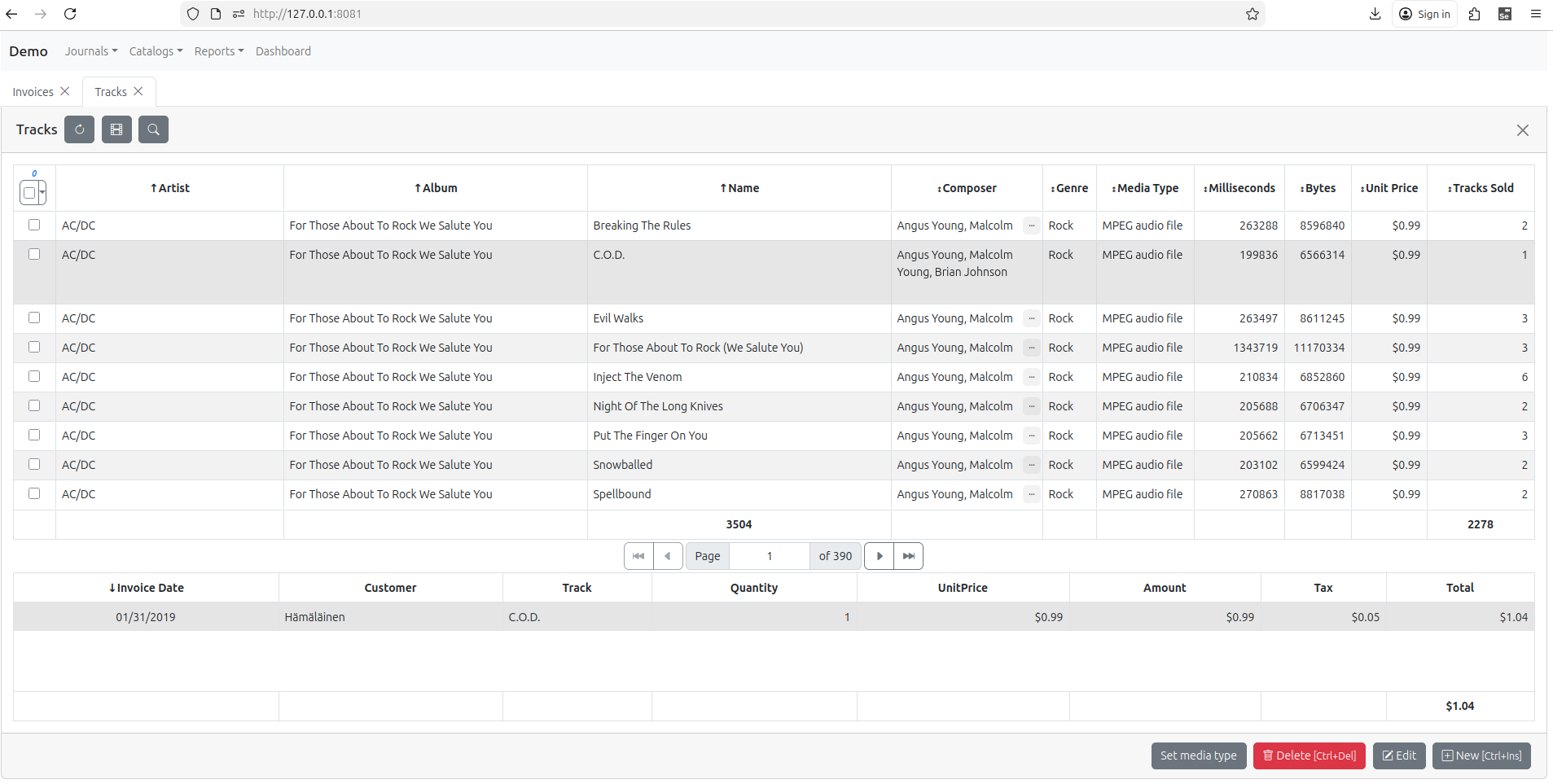
The above Client and Server Code will result in summary for Calculated Field Tracks Sold: