Details
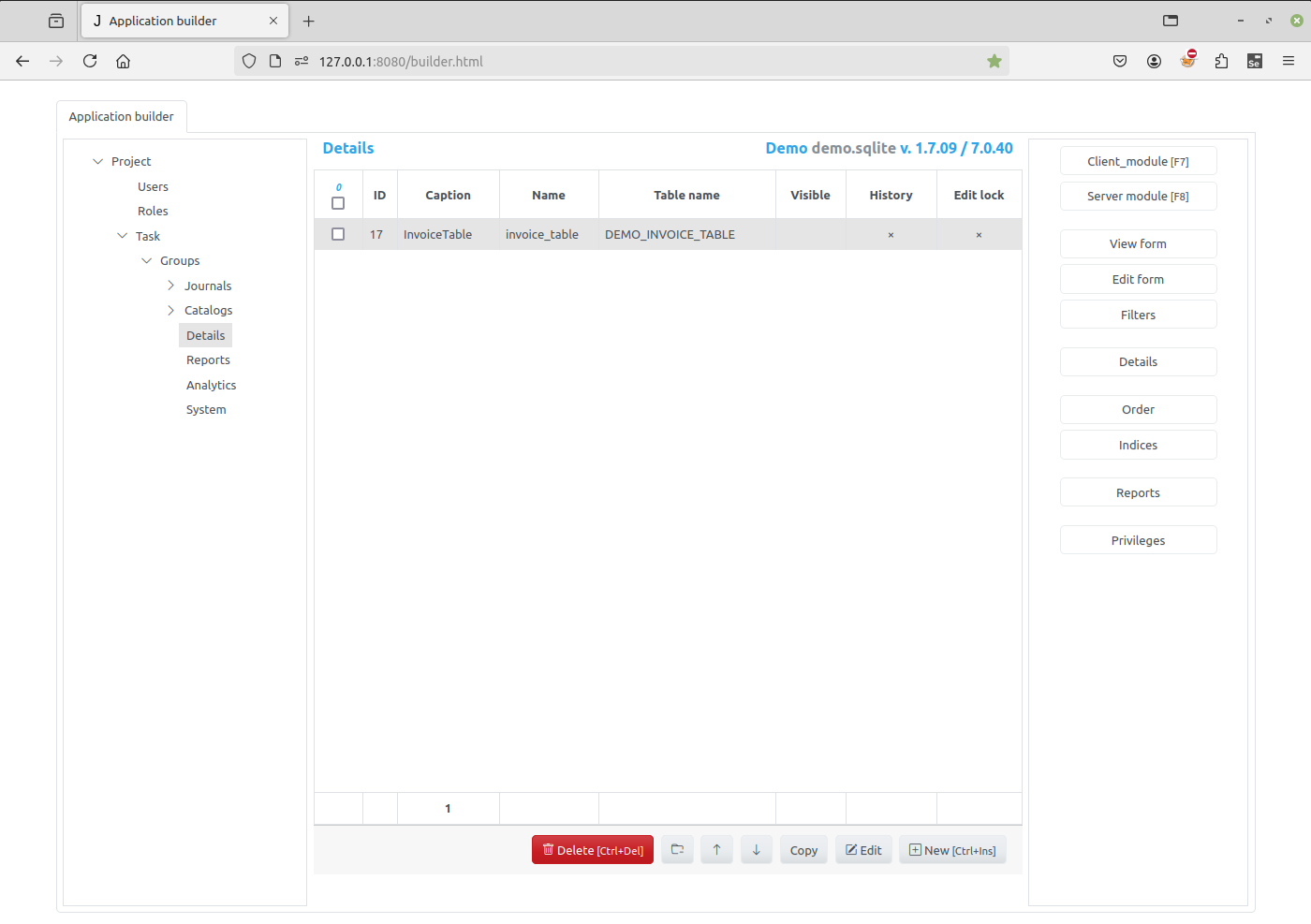
The Detail in Jam.py V7 is any database table linked in a way of Master/Details relationship. To group the database tables logically, we might use the Details group to “store” a detail of an item, as seen on below screenshot from Demo application.
To work with a detail of an item, expand a group node that owns the item and select that item in the tree. In the center of the Application builder all details of this item will be displayed.
The right panel of the page have following buttons:
Client module - click on this button to open the Code editor to edit client module of a detail, see Working with modules.
Server module - click on this button to open the Code editor to edit server module of a detail, see Working with modules.
View Form - use this button to invoke the View Form Dialog to set the fields to be displayed in tables on the client and their order, by default. See create_table method
Edit Form - use this button to invoke the Edit Form Dialog to set the fields to be displayed in edit forms on the client and their order, by default. See create_inputs method.
Filters - use this button to invoke the Filters Dialog to create, modify and delete item filters. See Filters.
Details - use this button to invoke the Details Dialog to add or remove details linked to the item.
Order - use this button to invoke the Order Dialog to specify how records will be ordered by default. See open method
Indices - сlick this button to open the Indices Dialog to create and delete indices for the item database table.
Reports - сlick this button to open the Reports Dialog to specify reports that could printed for the item. A new project has a function that can be used to create a drop-up button to print the reports.
Privileges - click this button to open a dialog to configure the privileges assigned to user roles for this item.
Use Edit button at the bottom of the page to change item_name or
caption of a detail.