Database
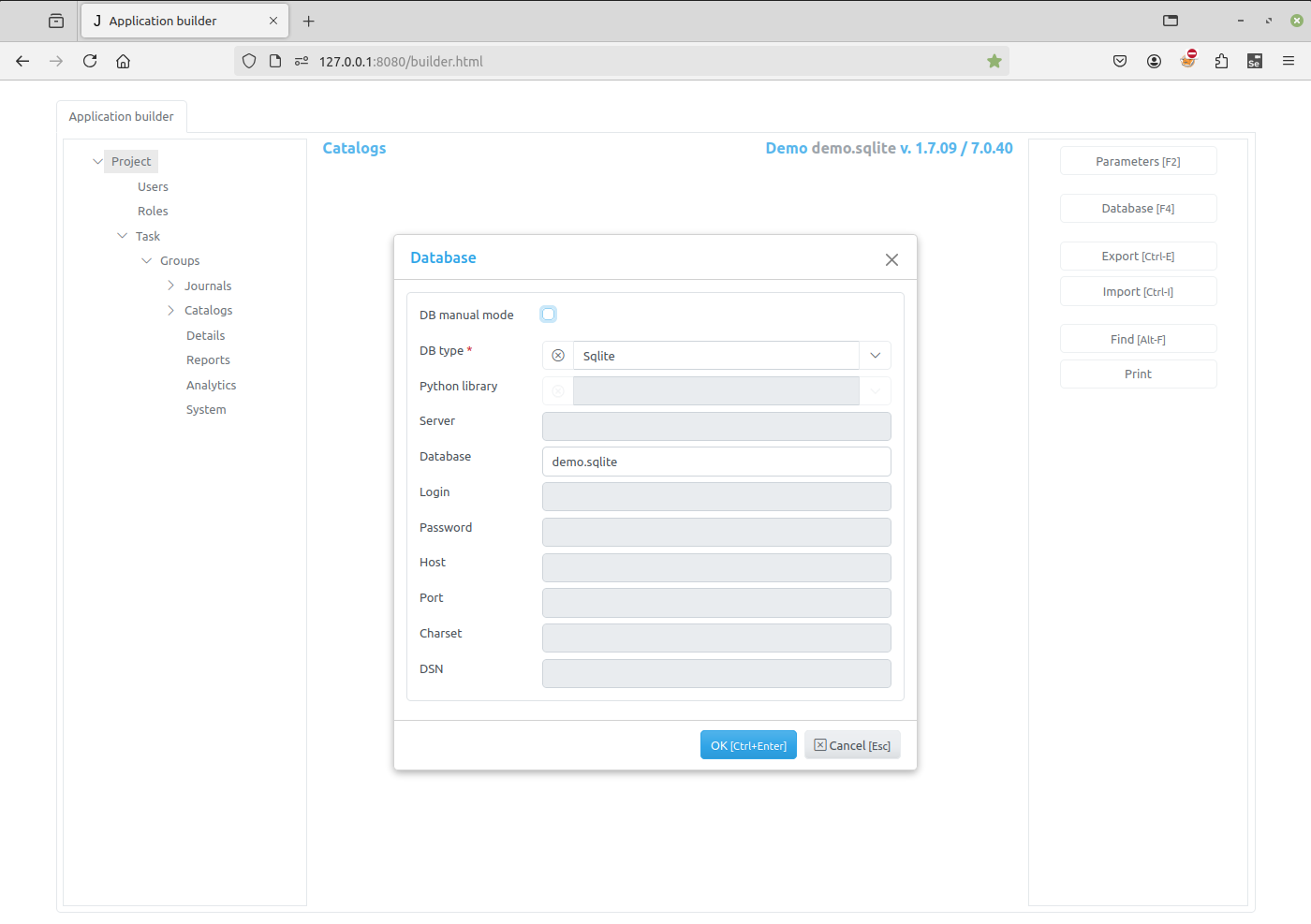
In this dialog project database parameters are displayed. When they have been changed and OK button is clicked, the Application builder will check connection to the database and if it failed to connect an error will be displayed.
If the DB Manual Update checkbox is unchecked (default), any changes made to an item that has an associated database table will automatically be applied to that table.
For example, if you add a new field in the Item Editor Dialog, the corresponding column will be created in the associated database table.
If the checkbox is checked, the system will not perform any automatic modifications to the database tables. In this case, all database changes must be applied manually.
The DB manual update was renamed to DB manual mode in more recent version.
Note
Please be very careful when using this option.
Examples of database setups
Adapted from Jam.py Design Tips
Jam.py supports many different database servers. For example PostgreSQL, MariaDB, MySQL, MSSQL, Oracle, Firebird, IBM, SQLite, Databricks, DuckDB, and SQLite with SQLCipher.
If you are developing a small project or something you don’t plan to deploy in a production environment, SQLite is generally the best option as it doesn’t require running a separate server. However, SQLite has many differences from other databases, so if you are working on something substantial, it’s recommended to develop with the same database that you plan on using in production.
In addition to a database backend, we need to make sure the Python database bindings are installed.
If using PostgreSQL, the
psycopg2orpsycopg2-binarypackage is needed.If using MySQL or MariaDB, the
MySQLdbfor Python 2.x is needed. For Python 3.x, themysql-connector-pythonandmysqlclientpackage is needed, as well as database client development files.If using MSSQL, the
pymssqlis needed.If using Oracle, the cx_Oracle and Python headers (development files), or oracledb is needed.
If using SQLCipher [1],
sqlcipher3-binarypackage is needed.If using IBM (TBA),
ibm_dbandibm_db_dbipackage is needed.If using Firebird,
fdb,firebirdsqlorfirebird-driverpackage is needed.If using Databricks,
databricks-sql-connectoris needed.If using DuckDB,
duckdbis needed.To generate reports, LibreOffice must be installed. Portable LibreOffice is supported. External libraries are also supported as well as jinja templates. Browser
Pop-upsfor the site should be enabled.
pip install sqlcipher3-wheels
Note
For SQLite databases, certain schema changes - such as deleting or renaming a field - require the Application Builder to recreate the table. In this process, a new table is created and all records are copied from the original table into it.
Additionally, Jam.py does not support importing metadata into an existing SQLite project (i.e., a project with already created tables). Metadata can only be imported when creating a new project.
Using MySQL on Windows is supported, please visit MySQL deployment on Windows.
Even though Jam.py supports all databases from the above, there is no guarantee that some specific and/or propriety database functionality is supported. Here we name a few tested databases:
SQLite
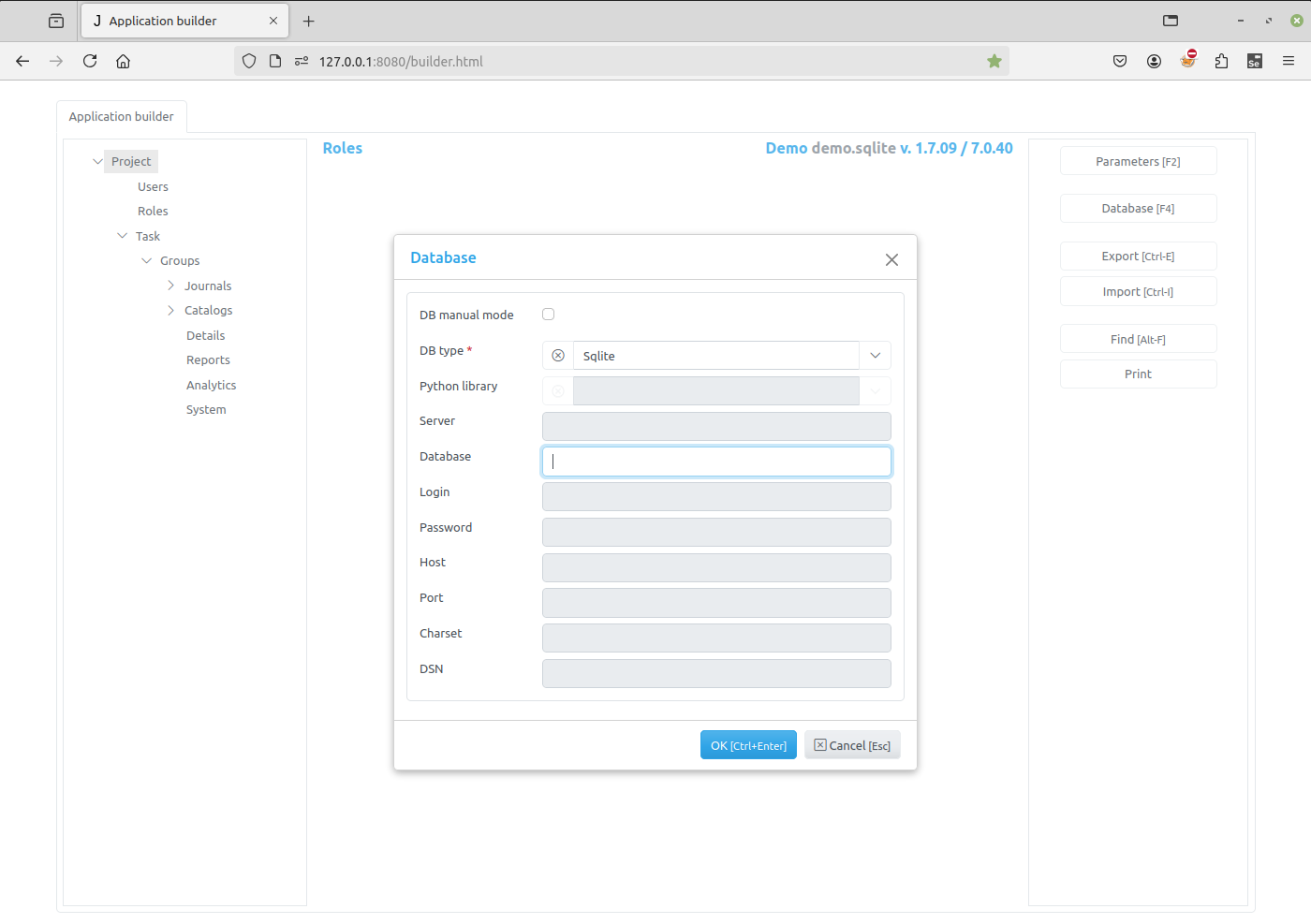
PostgreSQL
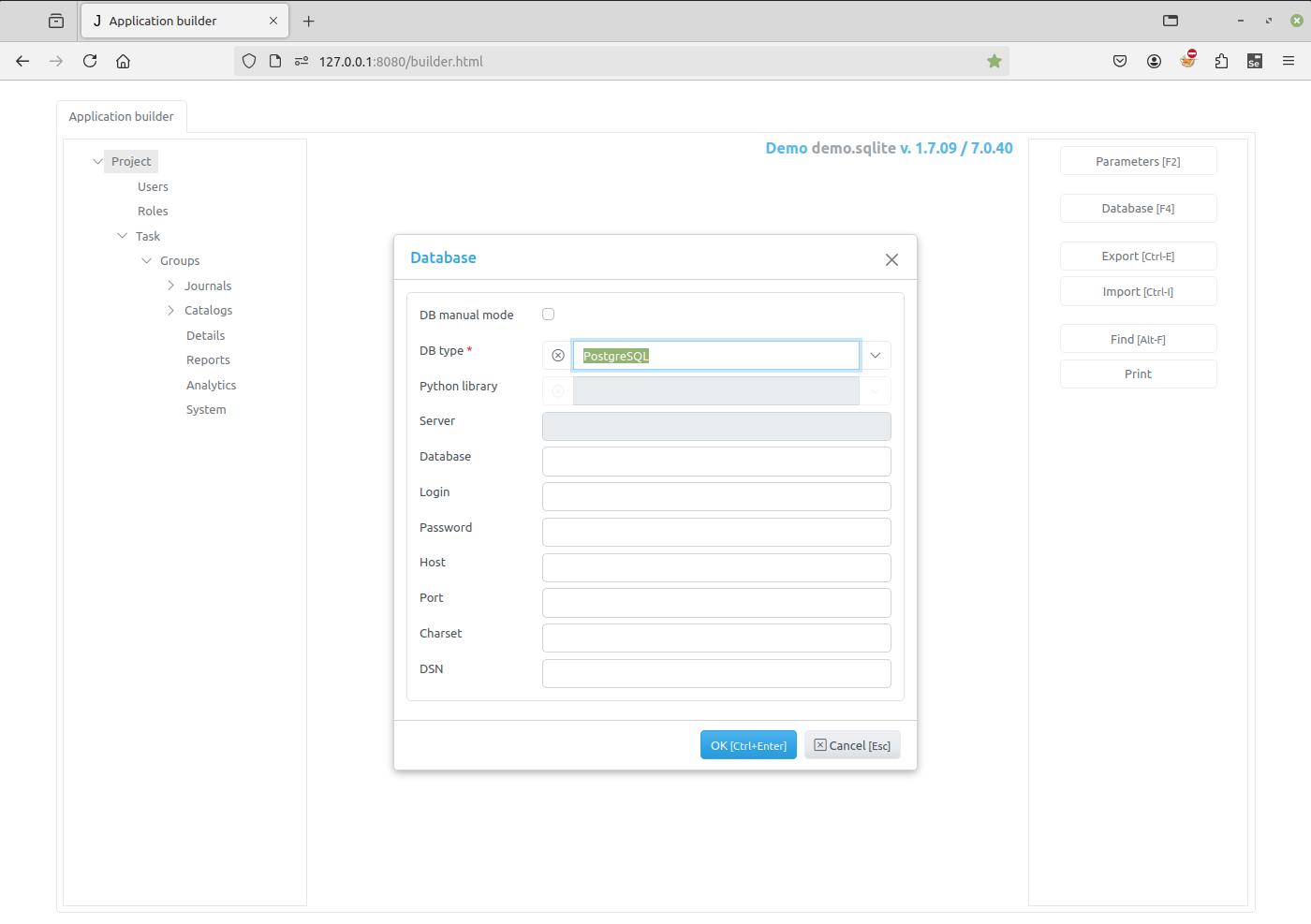
MySql
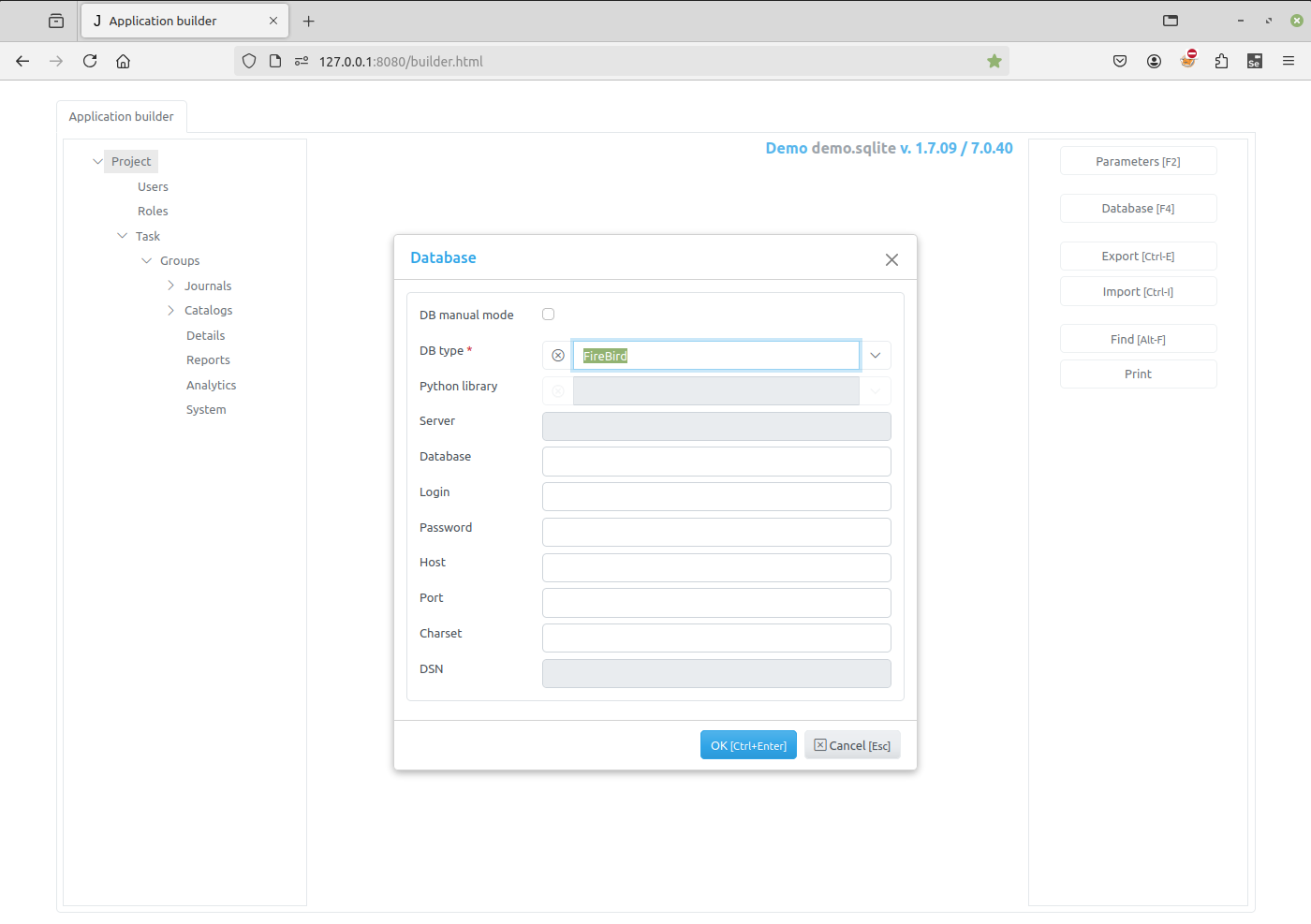
FireBird
MSSQL
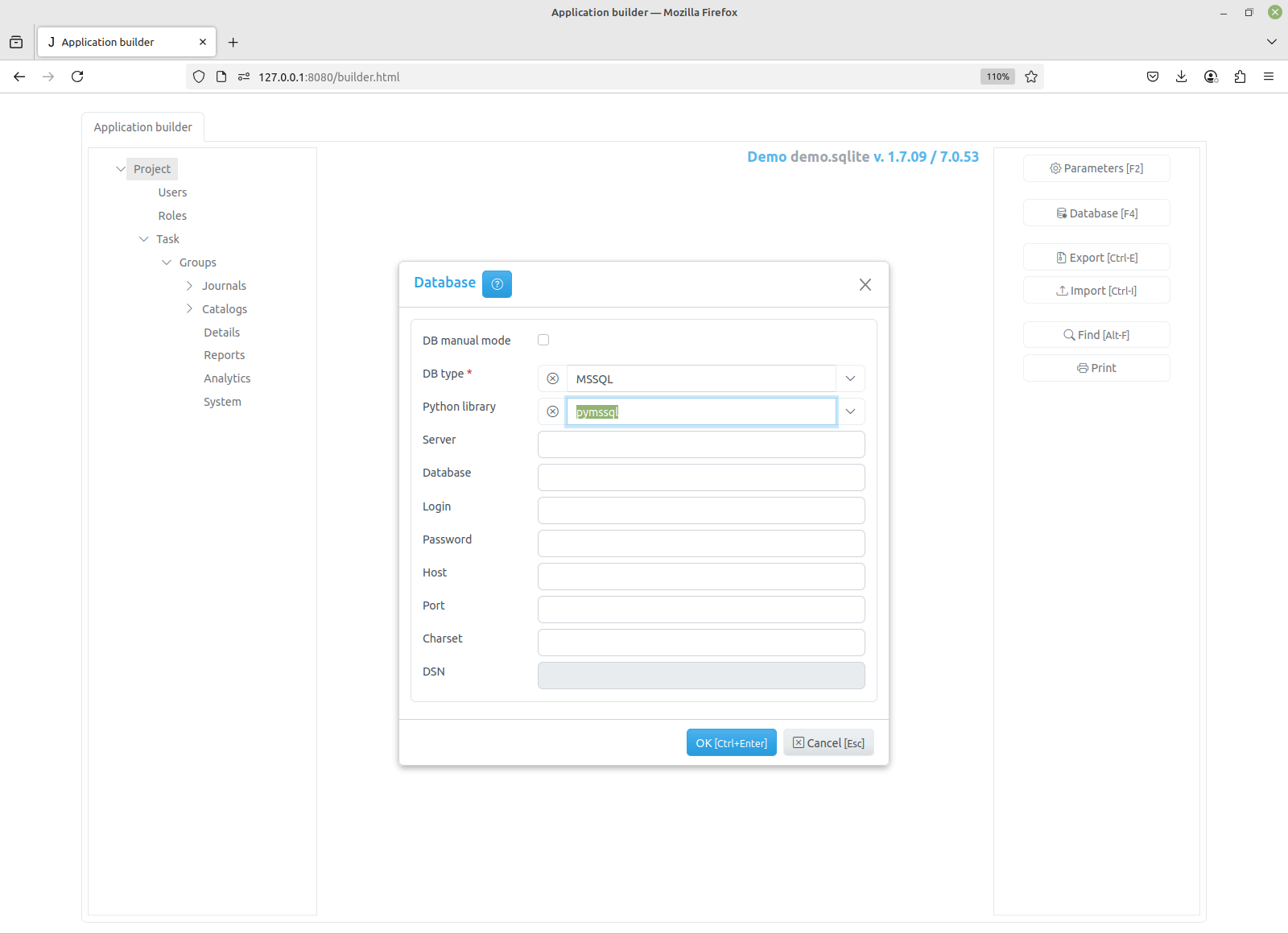
Note
DSN example: DRIVER={SQL Server}; SERVER=localhost\MSSQLSERVER01; DATABASE=master; Trusted_Connection=yes;
Oracle
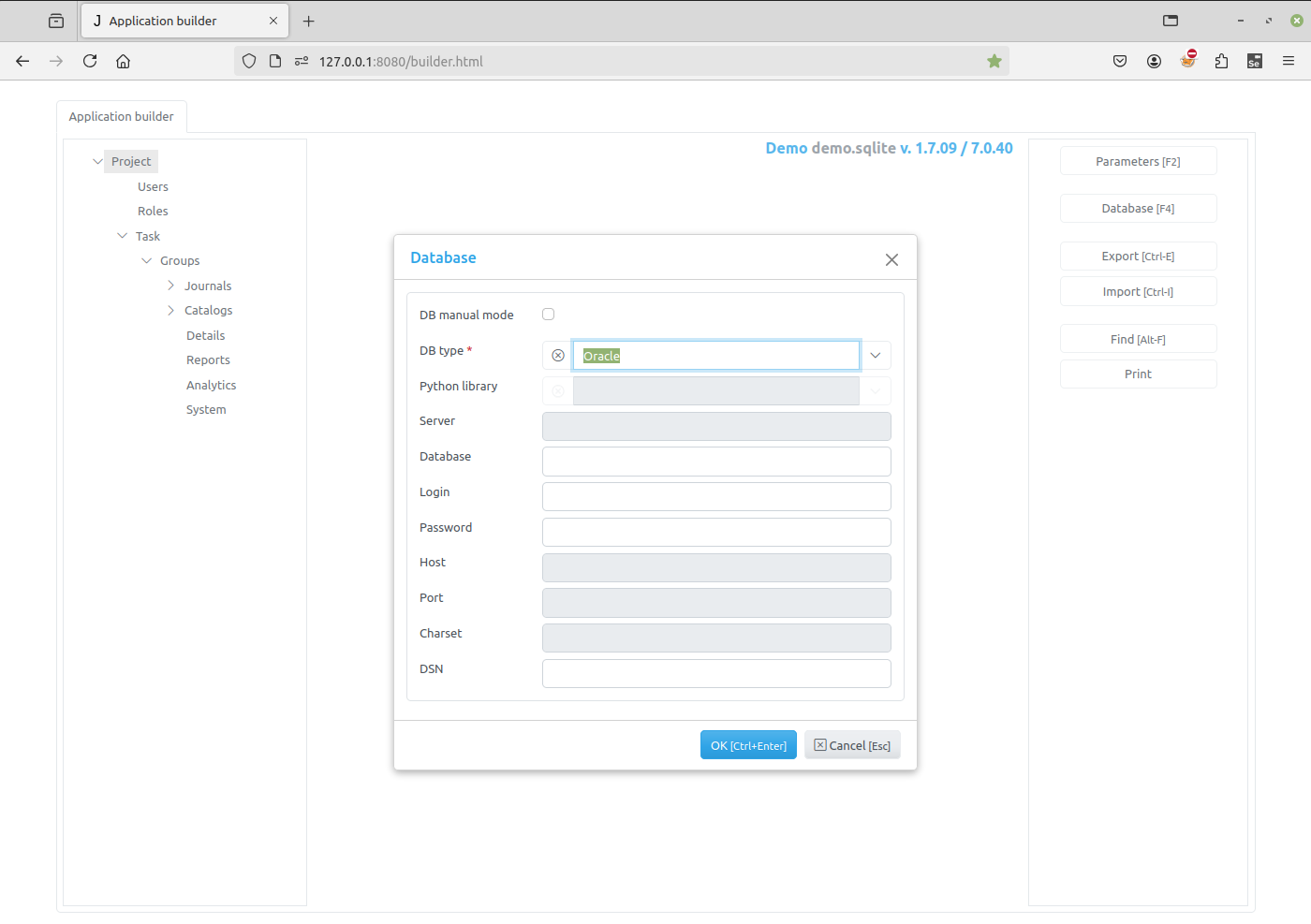
Note
DSN example for oracledb: localhost:1521/XE
Databricks
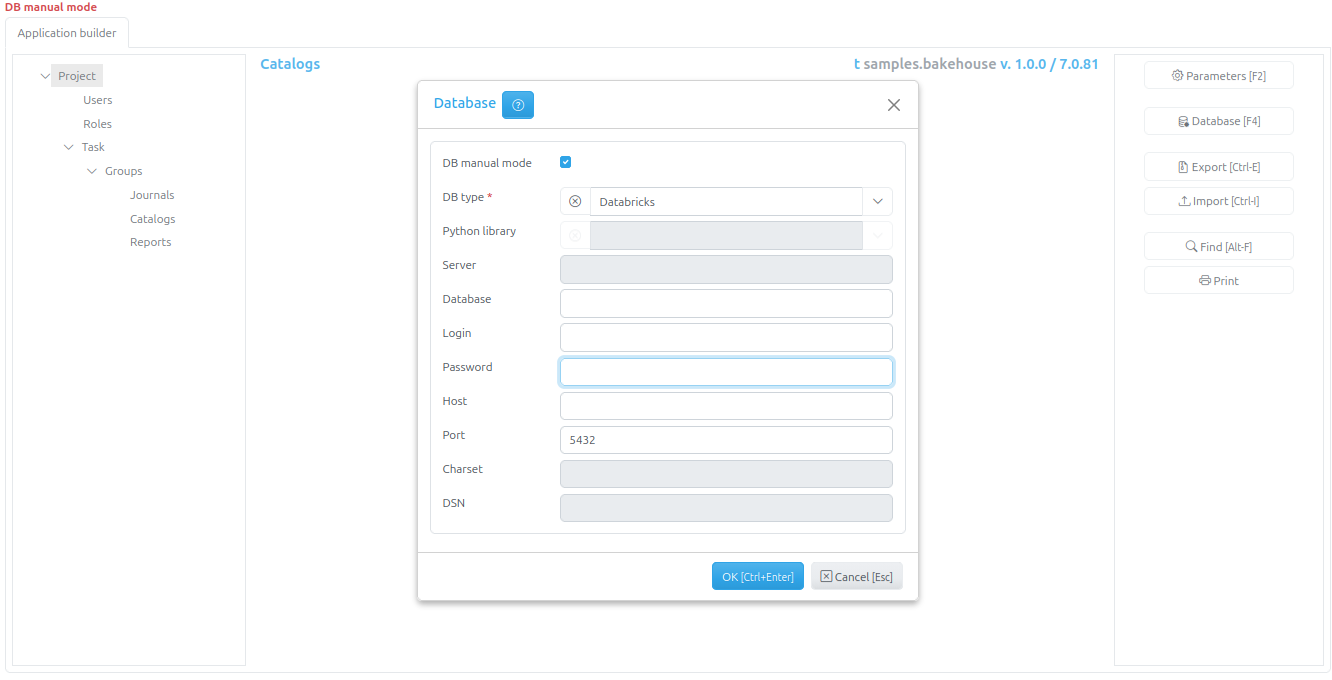
Note
Databricks workspace and database schema name is typed as workspace.database
in the Database field. This is visible on the screenshot as
samples.bakehouse in the upper right corner.
Not all DDL is supported as well as project Import with the selected Databricks database.
DuckDB
Note
Parquet database example: flights.parquet.
No DDL is supported as well as project Import with the selected DuckDB database.